Humanoids in education: robots in the classroom and lab
Short answer
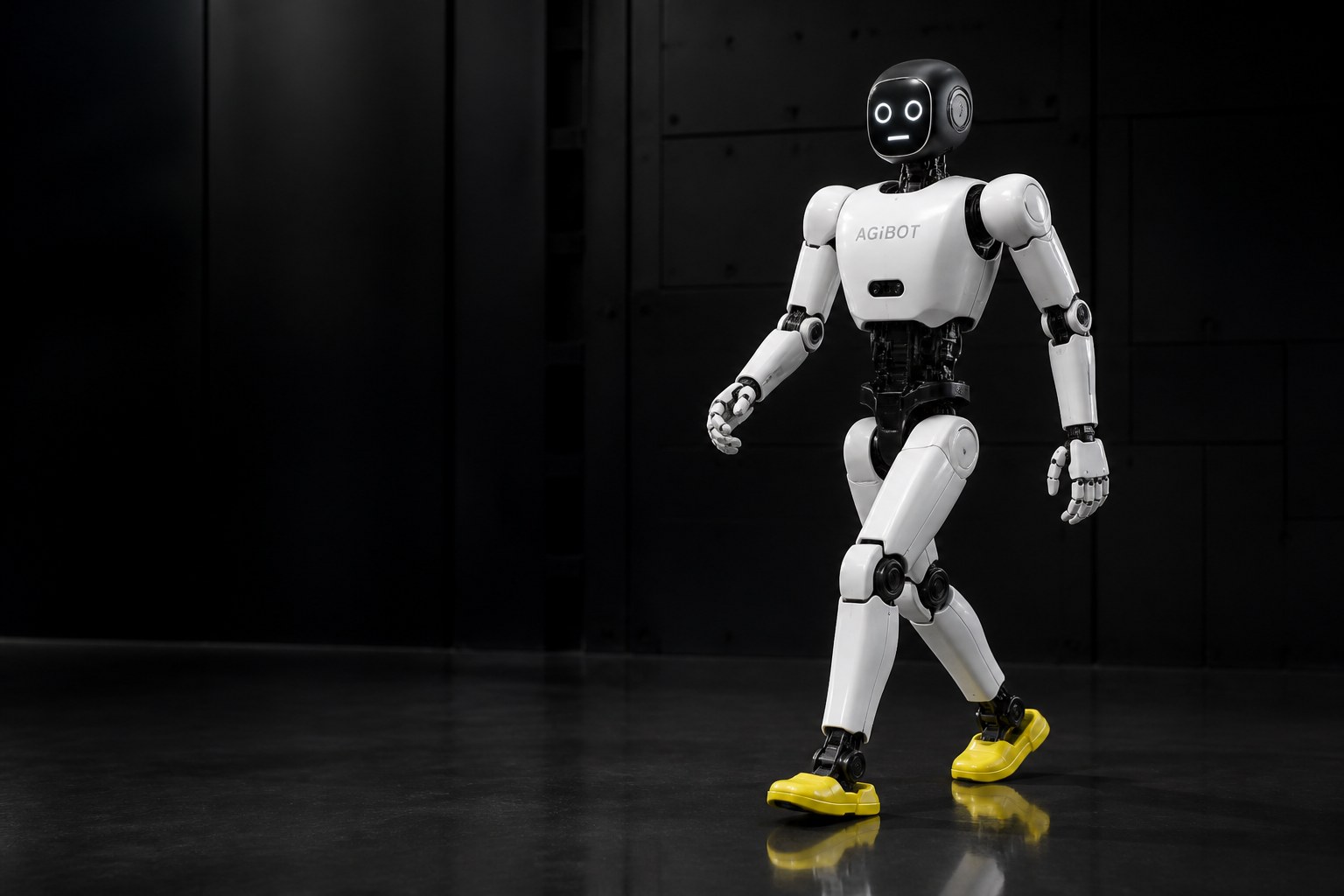
A humanoid in education works best as part of concrete assignments: moving, programming and taking measurements. The AgiBot X2 EDU is 1.31 meters tall and, according to the documentation, has 29 degrees of freedom and interfaces for motion control, but no cameras. The D1 Edu is a robot dog with an SDK for your own extensions. Start with a lesson plan and a concrete learning question, not with the robot. Then choose the model that can carry out that assignment.
In brief
- A robot in class works when it is tied to assignments: moving, programming, measuring and reflecting.
- According to AgiBot, the X2 EDU has 29 degrees of freedom and interfaces for motion control. Cameras, LiDAR and LinkCraft are missing.
- If you also want to program perception and interaction, the X2 Ultra is a better fit. See the difference in the comparison article.
- The D1 Edu is a 15.5 kg robot dog with an SDK. The specifications come from laboratory tests.
- Camera images of students and the AI Act require consultation with the school. Requirements for high-risk systems take effect on 2 December 2027.
What do students learn from a robot?
- Mechanics and kinematics: how joints and degrees of freedom together make a movement.
- Programming: from simple movements to your own applications with the SDK.
- Sensors and perception: only if the chosen model has sensors. According to the documentation, the X2 EDU does not.
- Measuring and reflecting: did it work, how often and why not?
- Safety and rules: work area, emergency stop, privacy and the role of legislation.
Which robot fits your lesson?
All data comes from the AgiBot documentation, checked on 22 November 2026.
| Robot | What the documentation says | Suited to |
|---|---|---|
| X2 EDU | About 1.31 m and 33 kg, 29 degrees of freedom, RK3588 control unit only, no cameras or LiDAR. Development for motion control via a separate computer. | Programming movement, research into humanoid control |
| X2 Ultra | About 1.31 m and 39 kg, 30 degrees of freedom, cameras, LiDAR, Orin NX (157 TOPS), full development support and LinkCraft. AgiBot names guided tours, reception and live events. | Lessons that need perception and interaction |
| D1 Edu | Robot dog of 15.5 kg with battery, 5 kg effective payload, 3.5 m/s, 16 cm stair, expansion interfaces and an SDK. Figures from laboratory tests. | Walking on four legs, your own software and extensions |
The difference between the two X2 versions is covered in X2 Ultra or X2 EDU. The D1 Pro has the same specifications as the D1 Edu, but no support for secondary development.
How to build a good lesson
Work in small steps. First let students start an existing motion sequence and measure what happens. Then they write their own program for the motion control. How development works is explained in developing AGIBOT software. Advanced groups can work with simulation, see training a robot in simulation. Let every assignment end with measuring: did it work, how often and why not?
Working with companies
A robot in class gets stronger when assignments come from practice. Ask companies in the region which task they would like to automate. Students then investigate whether a robot can learn that task. That way they also learn how to give well-founded advice. Which skills that requires is covered in skills for mbo and hbo.
Practical points of attention
- Set up a fixed place with enough free space and clear rules.
- Appoint a teacher or technical teaching assistant as administrator.
- Plan software updates outside lesson time.
- Decide what happens with camera images before a robot with cameras enters the classroom, and consult the school's data protection officer. See camera images and privacy.
- Keep an eye on the AI Act. On 30 June 2026, the Council of the EU announced that the requirements for stand-alone high-risk systems move from 2 August 2026 to 2 December 2027. Whether an application counts as high risk depends on what the system does. See AI Act and robots.
Sources: Robot Specifications X2, Product Overview X2, Quick Start X2, D1 Pro/Edu, Council of the EU on the AI rules
Sources
- AgiBot AimDK_X2 1.1.0: Robot Specifications (checked on 2026-11-22)
- AgiBot AimDK_X2 1.1.0: Product Overview (checked on 2026-11-22)
- AgiBot AimDK_X2 1.1.0: Quick Start, network connection (checked on 2026-11-22)
- AGIBOT: D1 Pro/Edu product page (checked on 2026-11-22)
- Council of the EU: Council gives final green light to simplify AI rules (30 June 2026, via EEAS) (checked on 2026-11-22)
Frequently asked questions
Is a humanoid suitable for vocational education (mbo)?
Yes, if the assignments match the profession, such as operating, maintaining and programming a motion task. The robot is a teaching tool and not a replacement for the teacher.
Can students program the X2 EDU themselves?
Yes, for motion control. According to the AgiBot documentation, programs run on a separate computer connected to the robot by Ethernet. Perception, interaction and LinkCraft are not available on the EDU.
Which robot fits if students also want to use camera images?
According to the documentation, the X2 EDU has no cameras. For perception and interaction, AgiBot names the X2 Ultra. The D1 Edu has a camera with its own field of view and an SDK.
Can the D1 Edu climb stairs?
For the D1 Pro and Edu, AgiBot names a stair of 16 cm in a row. The specifications come from laboratory tests, and actual performance may differ.
Does a robot in class fall under the AI Act?
That depends on what the system does. According to the Council of the EU, the requirements for stand-alone high-risk systems only take effect on 2 December 2027. Whether your application falls under that, you discuss with the school and, if needed, a lawyer.
How many robots does a class need?
That depends on the assignment. One robot with assignments for rotating groups is enough for many lessons. Plan the time per group and the software updates outside the lesson.