AGIBOT X2 Ultra or X2 EDU? Differences and choice
Short answer
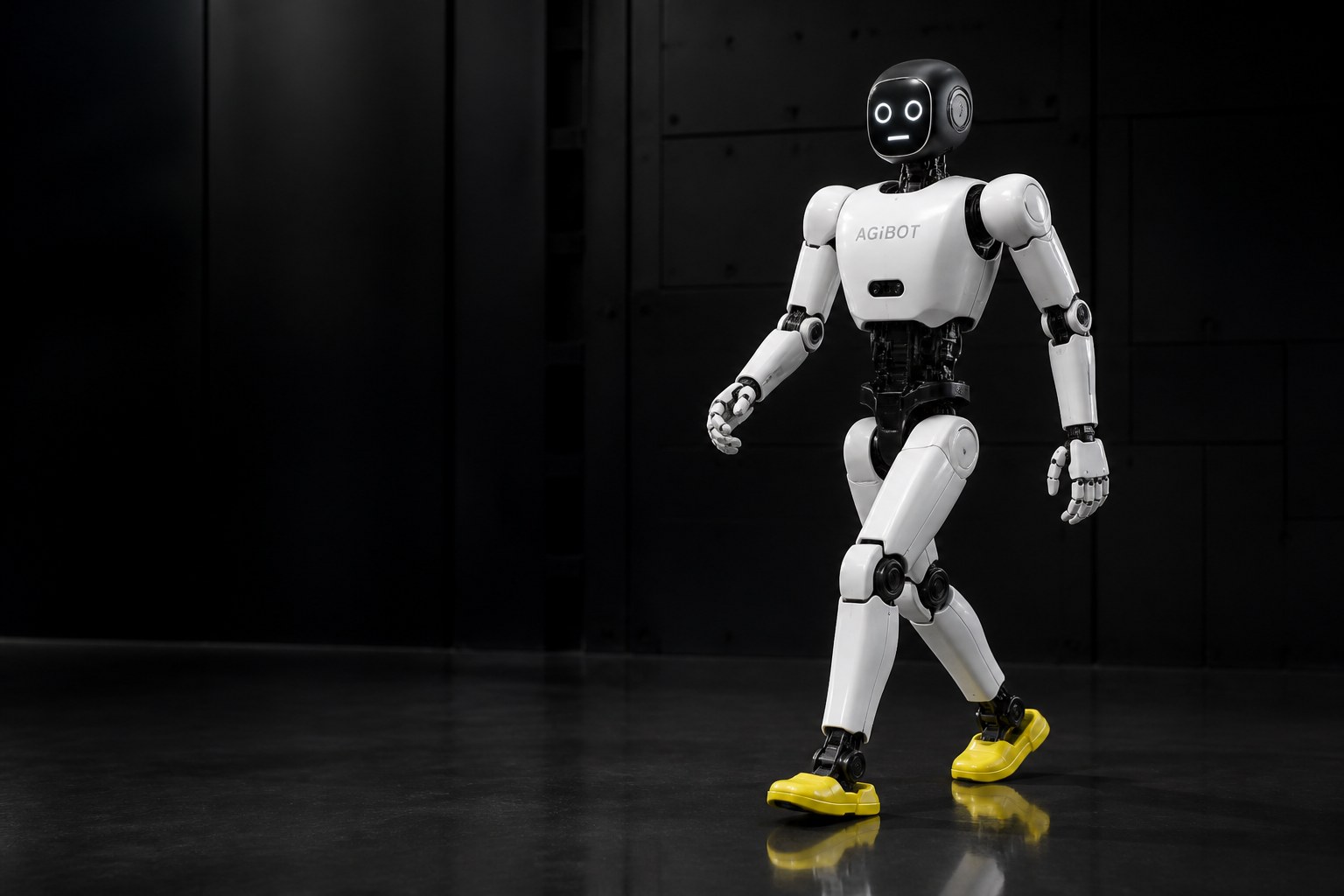
According to the AgiBot documentation, the X2 Ultra and the X2 EDU are both about 1.31 meters tall and have arms with 7 degrees of freedom. The Ultra has 30 degrees of freedom, cameras, LiDAR, an Orin NX module and full development support. The EDU has 29 degrees of freedom, no cameras or LiDAR and only interfaces for motion control. Choose the Ultra if the robot has to perceive and interact, the EDU if you only want to program the motion control. There is also an X2 Ultra (new version) with 31 degrees of freedom.
In brief
- Height, arms, legs and waist are the same on both models: about 1.31 m, 7 degrees of freedom per arm, 6 per leg and 3 in the waist.
- The difference of 30 versus 29 degrees of freedom is in the neck: the Ultra has a neck joint, the EDU does not.
- The Ultra has cameras, LiDAR and an Orin NX module with 157 TOPS. For the EDU, the documentation names no perception and only an RK3588 control unit.
- The EDU can be developed for motion control, joint control, preset movements and upper body. LinkCraft and interaction modules are missing.
- Payload is the same on all variants: up to 3 kg in certain postures and at most 1 kg over the whole working range, without an end effector.
- There is also an X2 Ultra (new version) with 31 degrees of freedom. Specifications depend on the version delivered.
What both models share
According to the AgiBot documentation AimDK_X2 1.1.0 (checked on 22 November 2026), the X2 Ultra, the X2 Ultra (new version) and the X2 EDU are the same size: 1310 × 460 × 210 mm, about 1.31 meters. The arm has 7 degrees of freedom, the leg 6 and the waist 3. The payload is the same: up to 3 kg in certain postures and at most 1 kg over the whole working range, both without an end effector. A battery lasts about 2 hours when walking at 0.5 m/s, and in daily use the robot walks at most 0.8 m/s.
The differences
| X2 Ultra | X2 Ultra (new version) | X2 EDU | |
|---|---|---|---|
| Degrees of freedom | 30 | 31 | 29 |
| Neck | 1 joint | 2 joints | none |
| Weight | about 39 kg | about 39 kg | about 33 kg |
| Perception (RGB, touch, RGB-D, LiDAR) | yes | yes | not available |
| Computing power | RK3588 plus Orin NX 16 GB (157 TOPS) | same | RK3588 only |
| Connections | Wi-Fi, Bluetooth, 4G/5G | same plus UWB | Wi-Fi, Bluetooth |
| OTA updates | yes | yes | not available |
| LinkCraft | yes | yes | not available |
| Secondary development | full | full | motion control only |
The difference of 30 versus 29 degrees of freedom is therefore the neck joint. The bigger difference is in what the robot can perceive and what you can develop on it.
Developing on the Ultra or the EDU
For the Ultra and the new version, the documentation names developing in a container on the robot itself or via a separate computer. Development with the SDK is based on ROS 2 and supports Python and C++. For the EDU, the only route named is a separate computer or compute pack, connected via Ethernet to the control unit. According to the documentation, that unit may not serve as a build or runtime environment. More about the software side is in developing AGIBOT software.
According to the product overview, the EDU has an end effector with a clamp and no dexterous hands. For the Ultra, the OmniPicker and the OmniHand are optional. On the agibot.com product page, the Ultra (new version) is listed with an optional dexterous hand with 10 active and 6 passive degrees of freedom, next to the X2 Neo. The EDU is not listed there.
Which fits which goal?
- Choose the Ultra if the robot has to perceive, follow a route or talk with people. For the Ultra, AgiBot names guided tours, reception and live events.
- Choose the EDU if you mainly want to research or program the motion control and do not need cameras or LiDAR. The documentation names no purpose for the EDU. How education fits in is covered in humanoids in education.
- Torn between a small and a large robot? Compare with the A3 in A3 Ultra or X2 Ultra. How to choose a model for a task is covered in choosing a humanoid robot.
Before a purchase, check which version you will get. The documentation states that the delivered hardware is the reference.
Sources: Robot Specifications, Product Overview, Secondary Development Interfaces, Quick Start, agibot.com X2
Sources
- AgiBot AimDK_X2 1.1.0: Robot Specifications (specifications X2 Ultra, X2 Ultra new version, X2 EDU) (checked on 2026-11-22)
- AgiBot AimDK_X2 1.1.0: Product Overview (differences per variant) (checked on 2026-11-22)
- AgiBot AimDK_X2 1.1.0: introduction, variants and development framework (checked on 2026-11-22)
- AgiBot AimDK_X2 1.1.0: Secondary Development Interfaces (checked on 2026-11-22)
- AgiBot AimDK_X2 1.1.0: Quick Start, development modes and network connection (checked on 2026-11-22)
- AGIBOT: X2 product page (Neo and Ultra new version) (checked on 2026-11-22)
Frequently asked questions
Is the X2 EDU better than the X2 Ultra?
No, they have a different scope. The Ultra has sensors, computing power and full development support. According to the documentation, the EDU only has a control unit for motion. Which one fits depends on what you want to program.
How many degrees of freedom do the X2 Ultra and the X2 EDU have?
According to the AgiBot documentation, the X2 Ultra has 30, the X2 EDU 29 and the X2 Ultra (new version) 31. The difference is in the neck: 1 joint on the Ultra, none on the EDU, 2 on the new version. Arms, legs and waist are the same.
How much can the X2 carry?
For all variants, the documentation names up to 3 kg in certain postures and at most 1 kg over the whole working range, both without an end effector. According to the product overview, the EDU only has a clamp gripper as end effector.
Can I program the X2 EDU?
Yes, for motion control. The documentation names motion control, joint control, preset movements, mode switching and upper body. Programs run on a separate computer, connected via Ethernet. Interaction, perception and LinkCraft are not part of that.
What is the X2 Ultra (new version)?
A revised Ultra with an extra neck joint (31 degrees of freedom), a UWB module and USB Type-C ports only. The joint ranges of the head, waist and hip, among others, have been adjusted.
Are the specifications fixed?
No. AgiBot writes that the delivered hardware is the reference and that the specifications depend on the delivery batch and the order. When you buy, ask which version you will get exactly.